 Switch Focus
Blog · · Haris Skeledzija
Keyboard focus that follows your eyes
I work with several monitors, and many times a day I type into the wrong one. So I built Switch Focus: you look at a screen, and that's where your keyboard and mouse go. It only needs the webcam you already have.
The problem
With two or three monitors, your eyes move between screens all the time, but keyboard focus doesn't follow. You read an error in the terminal on the left, look back at the editor in the middle, start typing the fix, and it lands in the terminal. Or in a chat window, mid-sentence.
The usual fixes all add a step: click the window first, Alt+Tab until you find it, or learn a keyboard shortcut for every monitor. Each one is small, but it happens dozens of times a day, and every time you have to stop thinking about your work to think about windows.
You already know which screen you want: it's the one you're looking at. I wanted the computer to know that too.
What it does
Switch Focus watches which monitor you look at. When your gaze settles on a different one, it activates the top window on that monitor and moves the mouse there. The mouse goes back to where you last left it on that screen, so switching away and back doesn't lose your place.
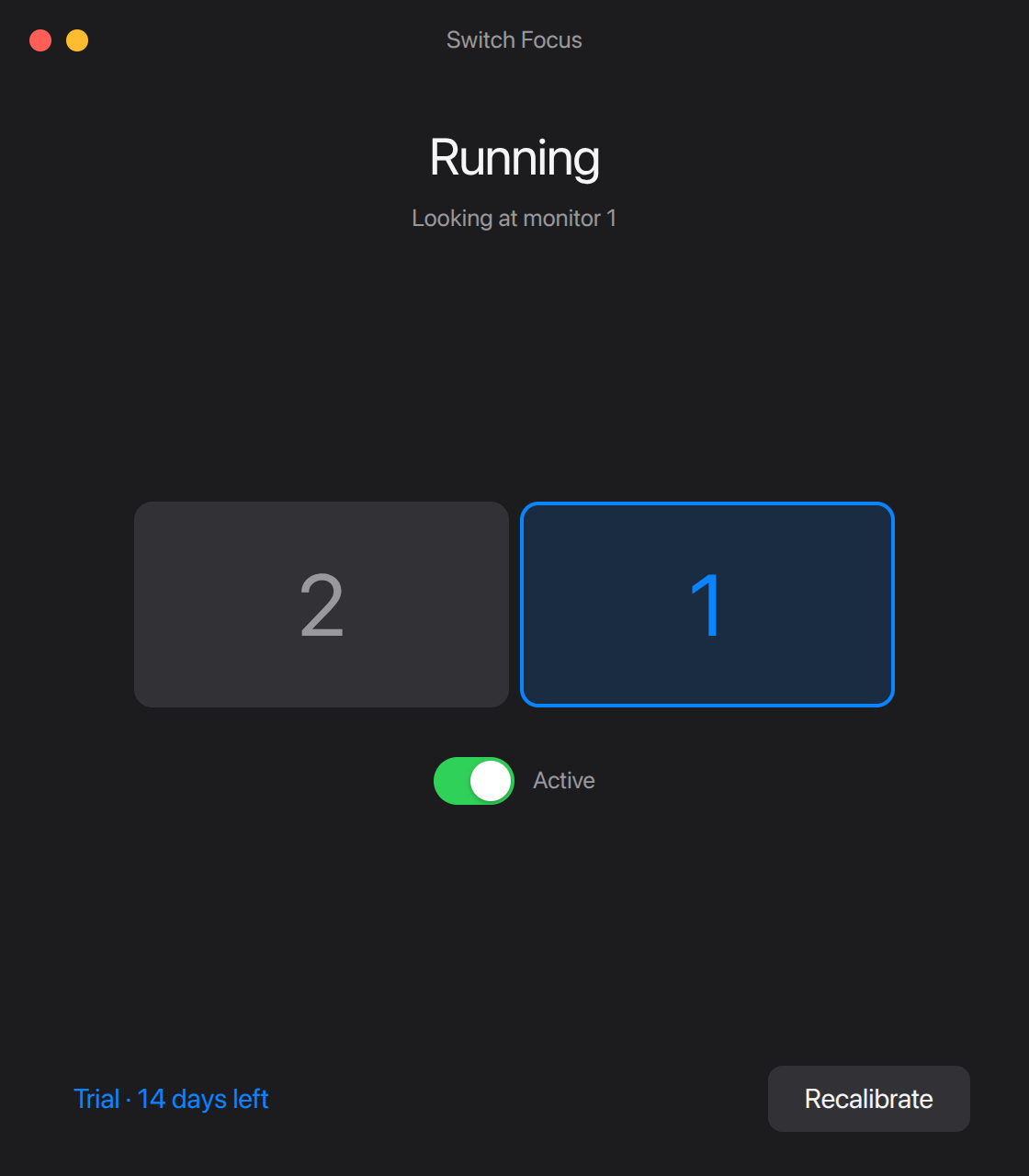
After setup it runs in the tray and stays out of the way. You can pause it any time.
How a webcam is enough
Eye trackers that tell you which word you're reading need infrared cameras and careful setup. Switch Focus doesn't need that kind of precision. It only has to tell monitors apart, and monitors are big targets.
Each camera frame goes through Google's MediaPipe Face Landmarker, running on your own processor. From the face landmarks, Switch Focus keeps four numbers: which way your head is turned left or right, how far it's tilted up or down, and where your irises sit inside your eyes horizontally and vertically. The rest of the frame is thrown away.
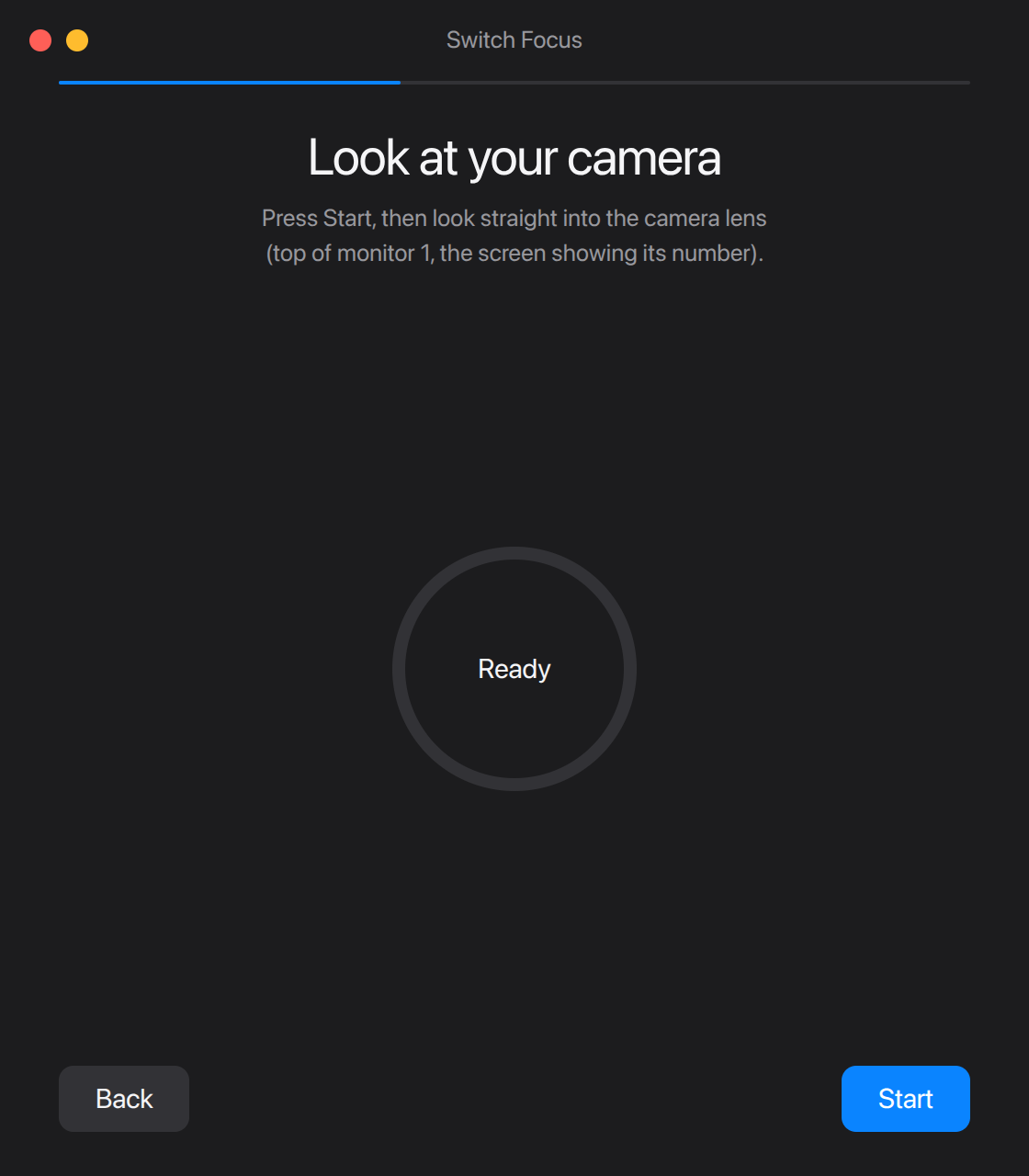
Those four numbers don't mean anything about your desk until you calibrate. You look at the camera, then at a few dots shown on each monitor, and Switch Focus fits a simple model that turns head and eye direction into a point on your desktop. Because it uses both, turning your head works, and so does only moving your eyes.
Then two rules keep it from feeling twitchy:
- Leaving a monitor takes a clear look. Your gaze has to land well past the edge of the current screen before it counts, so a glance at the bezel or a clock in the corner doesn't pull focus away.
- Blinks don't count. When your eyes close, the iris readings jump around, so those frames are ignored instead of being treated as a look somewhere else.
I tuned both from recorded sessions of real use, not by guessing. When your eyes jump to another screen they land in a single camera frame, so focus follows almost as soon as you look.
Moving focus
Knowing where you look is half the job. The other half is getting the operating system to move focus, which each one makes surprisingly hard in its own way.
On Linux (X11), Switch Focus asks the window manager for its stacking order, finds the topmost normal window whose center is on the monitor you looked at, skipping minimized windows and other workspaces, and activates it with xdotool.
On Windows, an app in the background isn't normally allowed to bring another window to the front, so that a random program can't steal your typing. Switch Focus calls the Win32 API directly and uses the documented way around that: it briefly attaches to the input of the window that has focus, hands focus over, and detaches again. It also skips minimized windows, tool palettes and windows on other virtual desktops.
Your camera stays yours
An app that watches your face all day has to earn some trust, so here is exactly what happens:
- Tracking runs entirely on your computer and keeps working without internet.
- Frames are turned into those four numbers and discarded. No image or video is ever saved or uploaded.
- Your calibration stays in the app's settings folder on your computer.
- The app only goes online to start the trial, check a license key and look for updates. The privacy policy lists exactly what each of those sends.
Try it
Switch Focus works on Linux with an X11 session and on Windows 10 and 11, where it's in beta. You need two or more monitors and a webcam on one of them.
Every computer gets a 14-day free trial with no account, email or card. If it earns a place on your desk, a license is $19 once, works on up to 3 computers, and comes with a 7-day refund, no questions asked.
What's next
- macOS, starting as a beta. You can get an email when it's out.
- Wayland, which most new Linux desktops use by default. It deliberately blocks apps from moving focus, so it needs a different approach.
- Scaled displays on Linux, for HiDPI screens.
If you try it, I'd love to hear how it works on your desk, especially on Windows: hello@switchfocus.app, or r/switchfocusapp.